local
Local services on macOS
One command per service.
Give every service on your Mac a familiar address. Register it once, then drop by the bar to see what is running, what is responding and where everything lives.
Requires Bun. Caddy and the LaunchAgent are bootstrapped for you.

A name and a port.
Register writes the Caddy fragment, claims the .local name over mDNS, records the pair and reloads Caddy. No sudo, no downtime.
Converges on re-run.
Register again with the same name and port and the fragment is rewritten, Caddy reloads, and the dns claim is reused when alive, re-claimed only when dead. Install scripts can call it on every run.
No root anywhere.
Caddy binds :80 and :443 unprivileged under a user LaunchAgent. The skeleton Caddyfile denies by default — a service is reachable once registered, not before.
In use
One command. The service has a name.
Register takes a name, a port and an optional health path, then reports the fleet the same way on every machine.
Register
klh-local register myapp --port 8080 --health / writes the fragment, reloads Caddy and claims myapp.local.
Check status
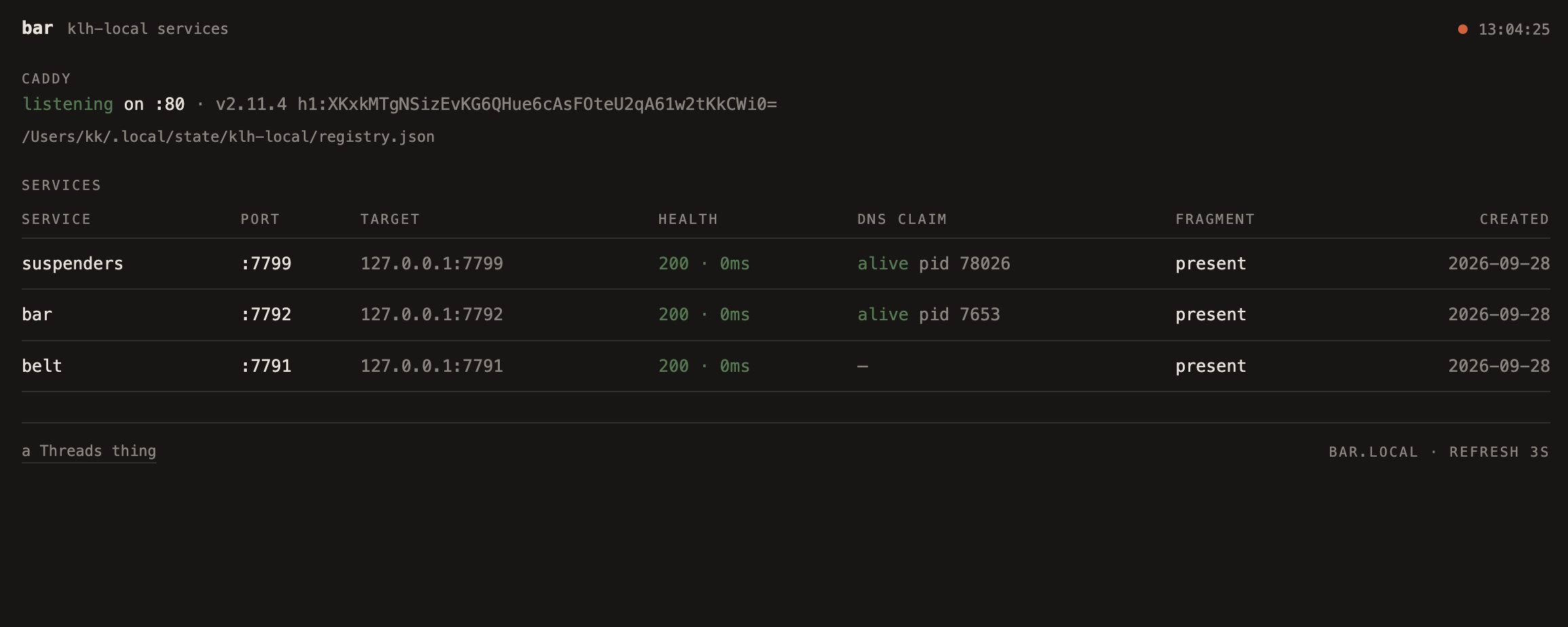
A health GET, the dns-claim liveness and the fragment, read-only. The board registers itself as bar.local.
Deregister
Removes the fragment, kills the dns claim and forgets the service.
At the bar
Your services. All accounted for.
The bar brings your local services together in one view. See which ones are responding, where they point and whether their local names are active. A quick check before you get back to work.
Get started with local
Put it to work.
Explore the project and documentation, or talk to Threads about your workflow.
Requires Bun. Caddy and the LaunchAgent are bootstrapped for you.